
CuttingMarks helped us automate sheet planning, reduce paper waste, and deliver faster print production for short-run and commercial jobs without changing our team workflow.

Guru Prakash
Senior Graphic Designer, Ultra HD Prints





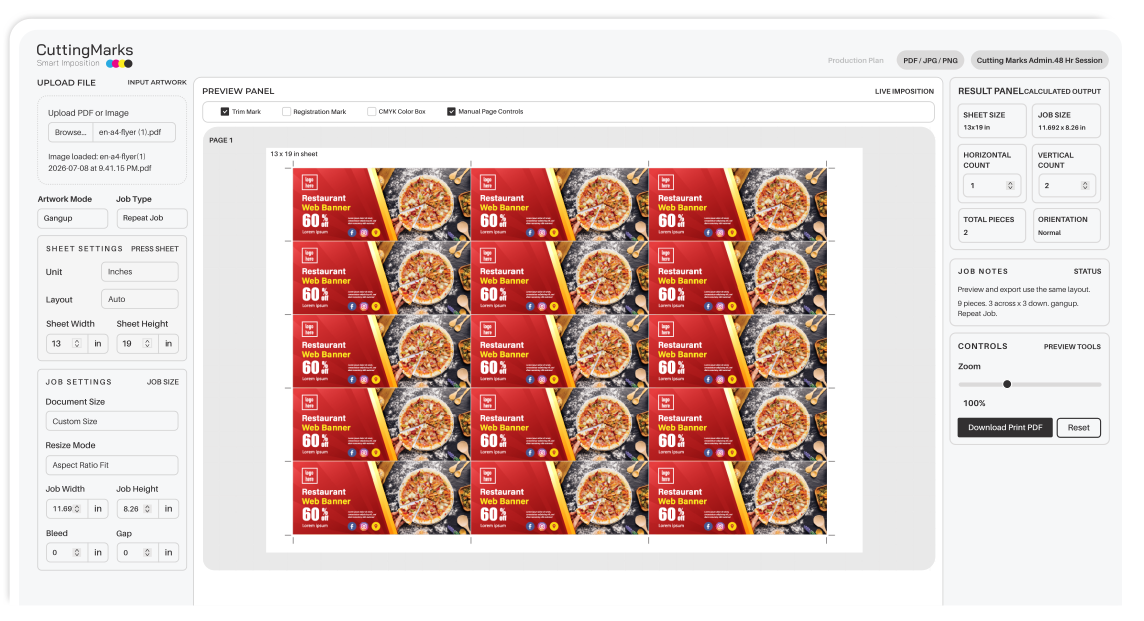
Automatically arrange multiple jobs on a single sheet with optimized layouts, crop marks, bleed settings, and registration marks to maximize paper utilization and reduce production time.
Generate the most efficient sheet layouts automatically to reduce paper waste, improve print accuracy, and speed up production.
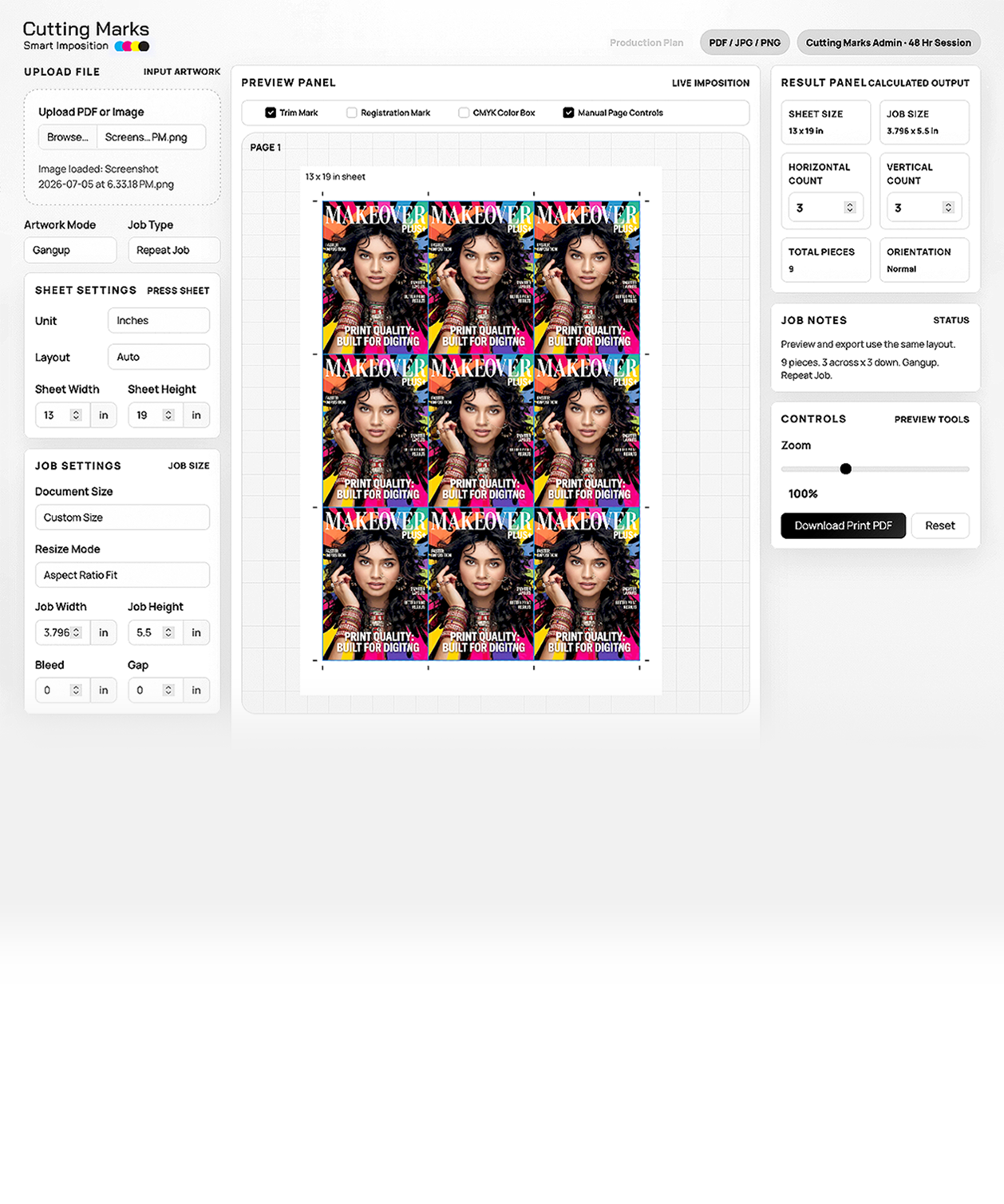
Export production-ready PDF files with crop marks, bleed, registration marks, and print settings compatible with digital printing workflows.
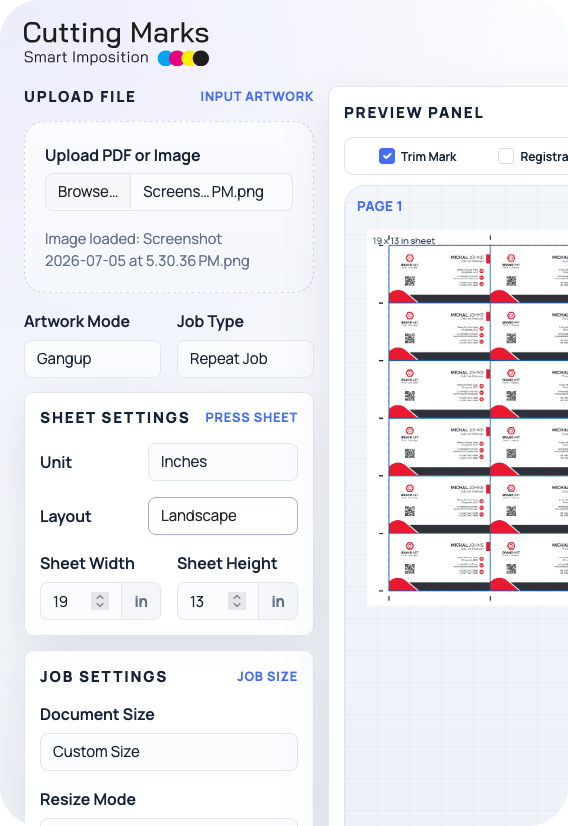
Upload your PDF or image, enter the sheet and job size, preview the layout instantly, and download a clean print-ready PDF.
Upload PDF, JPG, or PNG files and set your job size, bleed, gap, and sheet size.
CuttingMarks instantly arranges repeat jobs, gang-up, front & back, manual, or booklet layouts with trim marks and registration marks.
Export a clean, high-quality print-ready PDF using embedded artwork to maintain clarity, colors, and sharp output.
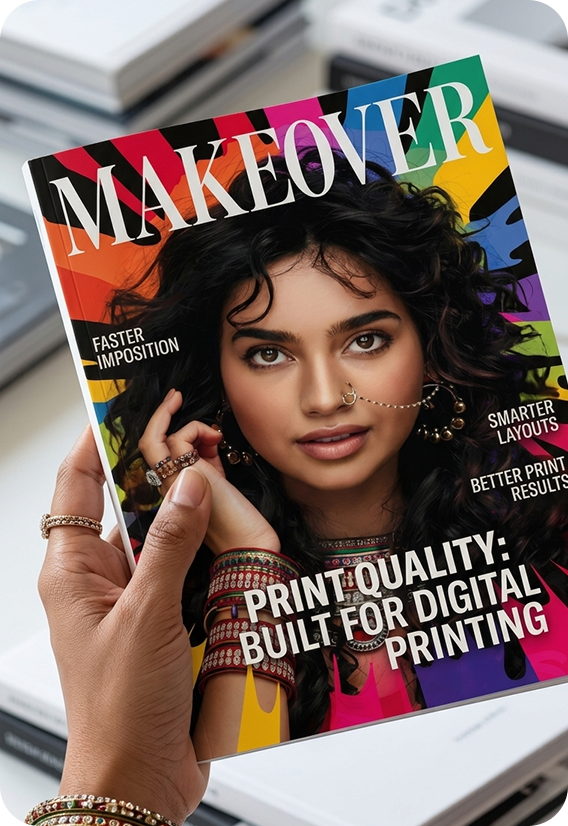
A modern imposition software built for digital printing businesses to simplify print production, deliver exceptional print quality, and improve daily productivity with a fast, lightweight workflow.





CuttingMarks helped us automate sheet planning, reduce paper waste, and deliver faster print production for short-run and commercial jobs without changing our team workflow.
Senior Graphic Designer, Ultra HD Prints
We now create gangup layouts, booklet imposition, and press-ready output in minutes. CuttingMarks has improved turnaround time and made job setup much more consistent.
Graphic Designer, Sai Creatives
The live preview and precise cutting marks make it easy to verify every job before printing. Our operators spend less time correcting layouts and more time finishing orders.
Graphic Designer, Pixel Media
For brochure, flyer, and booklet work, CuttingMarks gives us reliable imposition control, clean registration alignment, and production-ready PDF output every time.
Prepress Operator, Metro Print Works
We switched from manual planning to CuttingMarks and immediately improved print accuracy. The software saves setup time, supports repeat jobs, and keeps our production team efficient.
Production Designer, Prime Pack Prints
CuttingMarks is the best imposition software we have used for digital printing, booklet layout, and multi-up sheet planning. It is simple for staff and dependable for daily production.
Print Manager, ColorCraft Press
Download CuttingMarks and generate accurate, print-ready impositions in seconds. No complicated setup. Just upload, preview, and print.
Everything you need to know about CuttingMarks, licensing, compatibility, subscriptions, and professional imposition workflows.
Yes. CuttingMarks is available for both Windows and macOS, providing the same fast and lightweight imposition experience across both platforms.
We support both online and offline payments. You can subscribe using secure online payment methods or contact our sales team for offline billing options.
Yes. Every new account includes a 7-day free trial, allowing you to explore all features before purchasing a subscription.
Yes. We offer monthly and yearly subscription plans to suit individuals, print shops, and growing businesses. Every user requires their own license.
No. Due to the nature of digital software licensing, all subscriptions are non-refundable. We recommend using the 7-day free trial before purchasing.
CuttingMarks is designed for fast-turnaround digital printing workflows. It focuses on speed, simplicity, and lightweight performance rather than complex enterprise production systems.
Yes. CuttingMarks uses vector-based PDF processing to maintain crisp text, smooth gradients, accurate colors, fine details, and professional print quality whenever possible.
Yes. Join our Referral Partner Program and earn commissions by referring new customers to CuttingMarks.
Fresh imposition, PDF setup, bleed, UPS planning, and print workflow guides for digital print teams.

A buyer-intent Australian guide to automatic vs manual imposition for short-run digital printing, SRA3 layouts, PDF imposition, and waste reduction.

A buyer-intent Australian guide to SRA3 print optimization for short-run digital printing, SRA3 layouts, PDF imposition, and waste reduction.

A buyer-intent Australian guide to duplex PDF imposition for short-run digital printing, SRA3 layouts, PDF imposition, and waste reduction.

A buyer-intent Australian guide to business cards on SRA3 for short-run digital printing, SRA3 layouts, PDF imposition, and waste reduction.
Have questions about CuttingMarks? Need help with licensing, pricing, installation, or technical support? Our team is ready to help you get started.


Our Address
Webszilla Technologies
182/C, 4th Main Road, Sadasivam Nagar, Madipakkam, Chennai - 600 091, Tamilnadu, India.

Call & Whatsapp